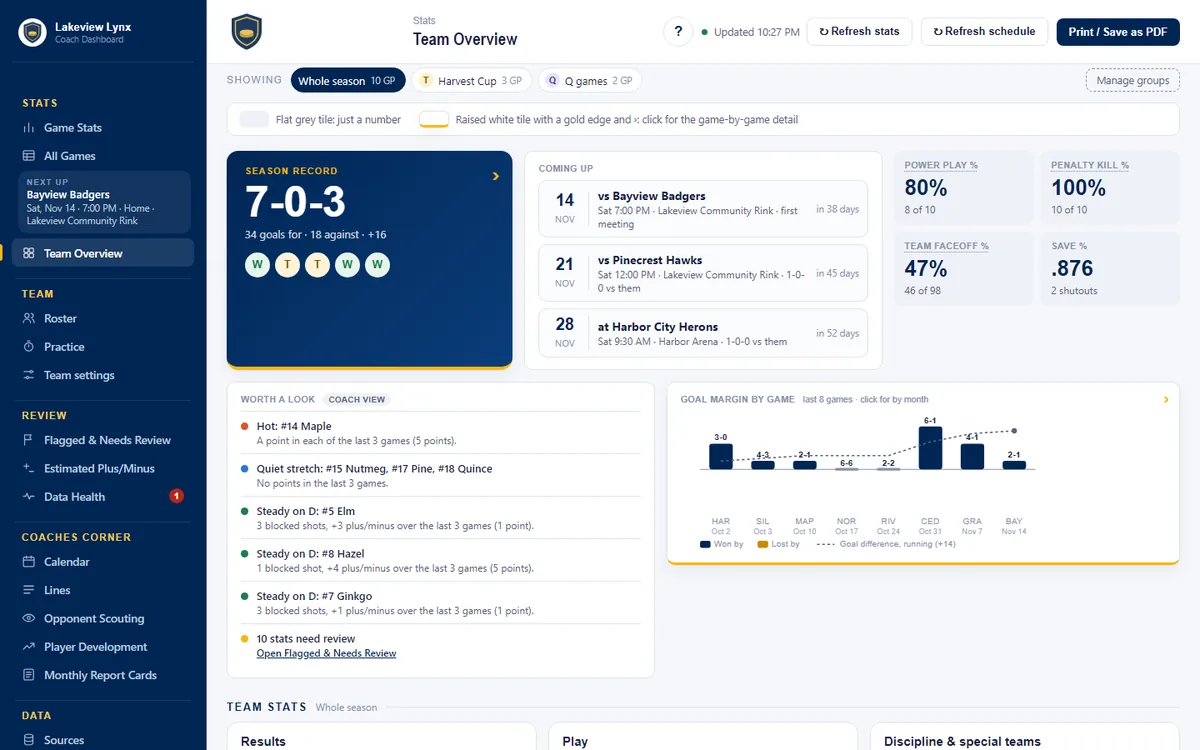
The dashboard, the bench app, playgrounds, clubs
Game stats, The Little Things, Flagged & Needs Review, lines, report cards, player development, a bench app with helper codes, your own 10-day playground, and clubs with every team in one place.
Stats you can trust, the little things that win games, lines and monthly report cards, with a bench app for whoever is tapping on game day.
A private copy of a made-up season, yours for 10 days. No card, no commitment, no real players.
Being built this season, game by game, with a 14U team by a coach and a parent who wanted the stats to be right before anyone talked about them. The season is still in progress.
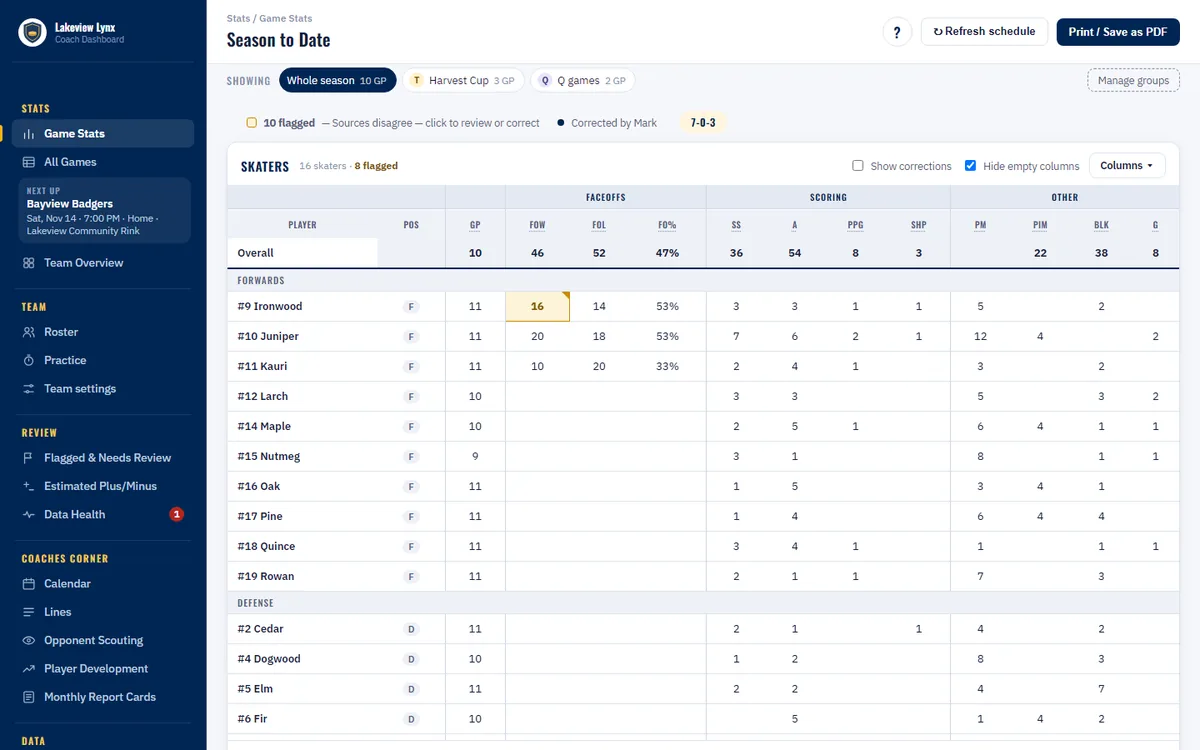
Faceoffs won, shots blocked, pucks out, backchecks, the shift after a goal against. The things a coach notices and nobody writes down, counted by player, by game and by month, and said in the coach's words on the report card.
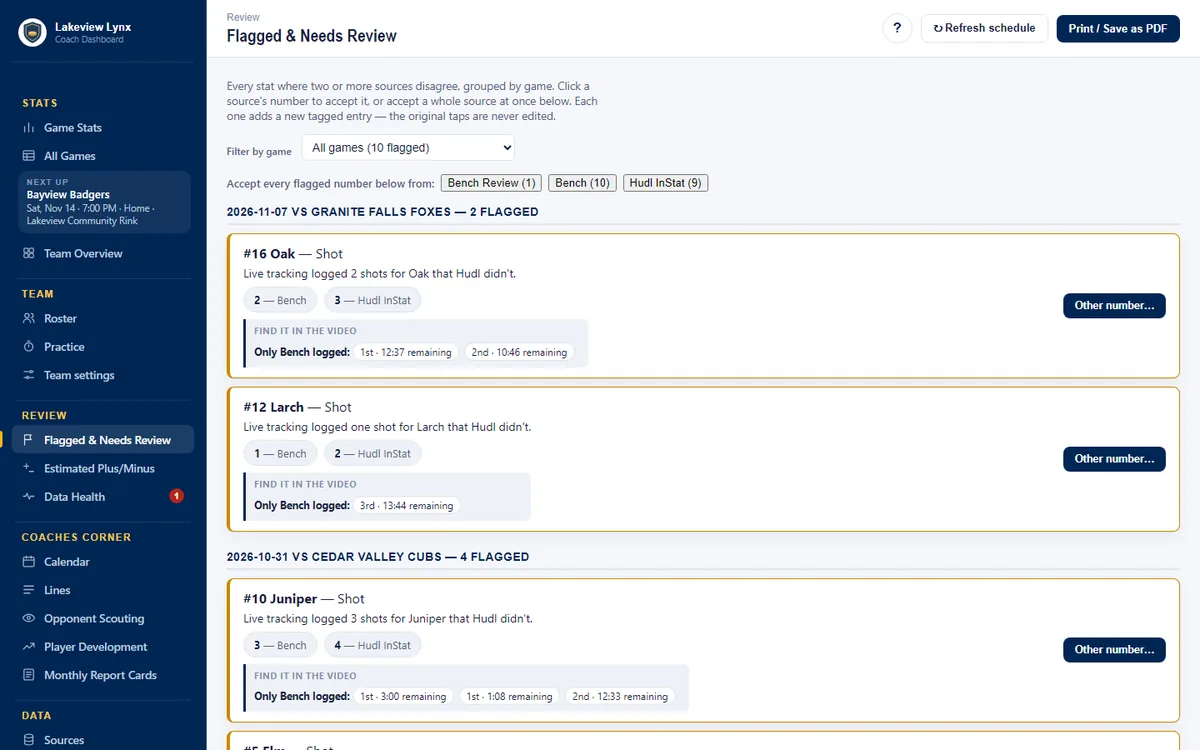
When two sources disagree about a shot or a goal, the number is flagged, not guessed. Pick the right one with a click, or accept a whole source at once. The original taps are never edited.
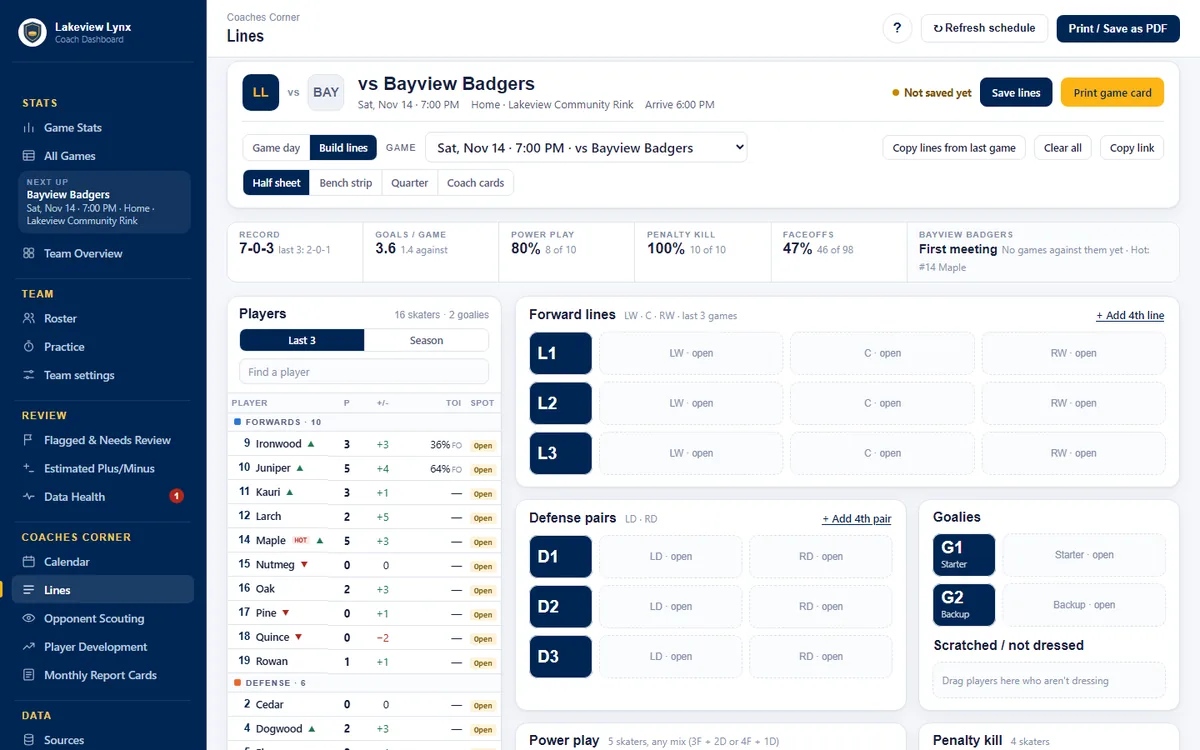
Build the lines for Saturday with the last three games' form beside each name, print the bench card, and afterwards see who played with whom and how it went.
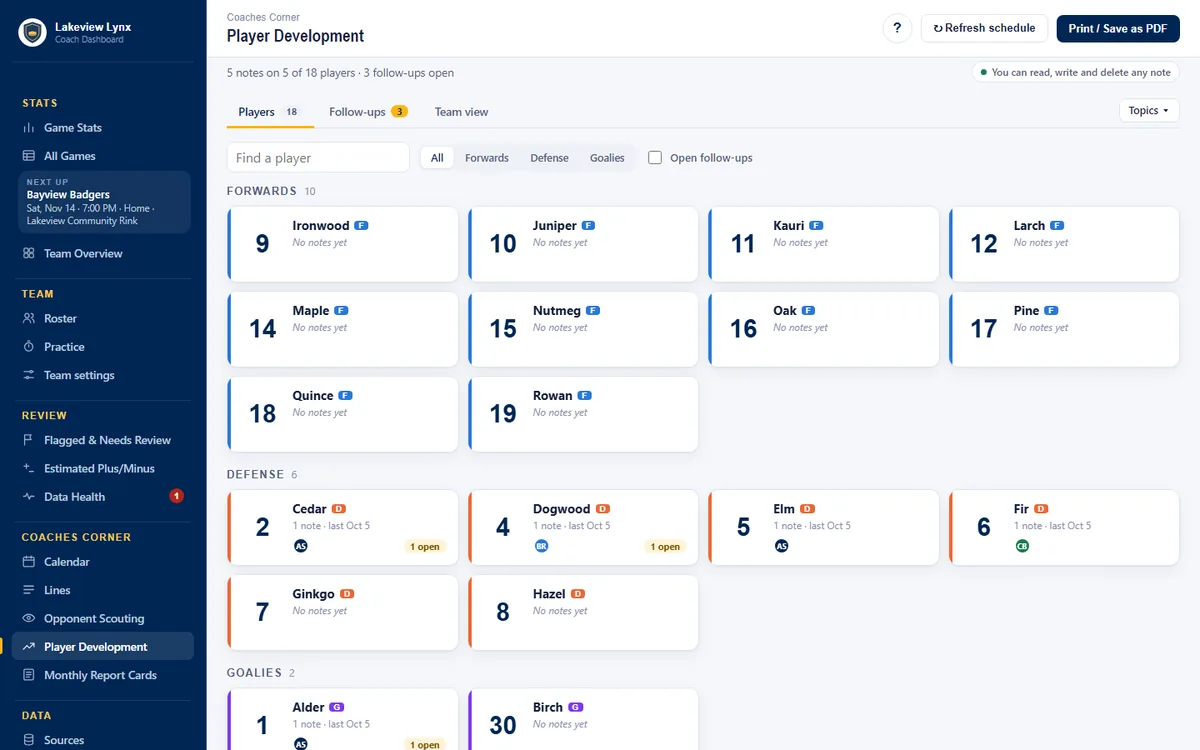
A roster of cards with the season to date, development notes only the coaching staff can see, follow-ups that don't get lost, and one report card per player per month.
Taps become the box score. With or without a signal; it catches up when the rink's Wi-Fi does.
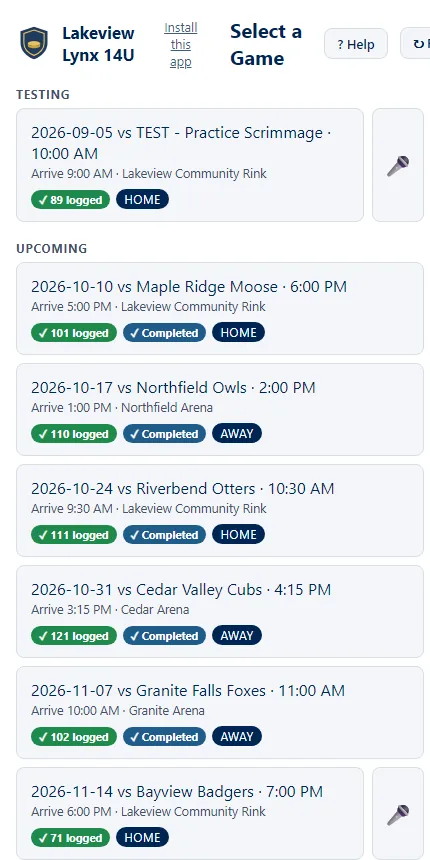
Nothing to re-type. The schedule comes from TeamSnap and lands in any phone's calendar. Already using other tools? They plug in, and the numbers get checked against each other.
Connect once; games, times and rinks stay current. A calendar link for Google, Apple or Outlook.
The official sheet's goals, assists and penalties, matched to your players.
When a team has them, their numbers come in too, and the disagreements show up in Flagged & Needs Review.
A playground is a private copy of a demo team with a full made-up season, dates moved to sit around today. Everything is on; nothing is real.
A name, an email, your team's name if you like. Built in under a minute, usually.
With Google, or a one-time link by email. No password. The same sign-in works on the bench app.
Open the bench app, pick the practice scrimmage, tap a few shots and a goal, then look at Game Stats. Then anything else.
Near the end we'll check in if you said we may. Want more time? Reply to the welcome email and we extend it, five days at a time, twice. Not for you? It simply closes.
Youth and junior teams; girls, boys and co-ed.
Pricing: free during the pilot season. Plans per team per season come with the 2026-27 season; a club's teams get a club rate.
Built with the coaches who use it, in this order. Dates move; the order mostly doesn't.
Game stats, The Little Things, Flagged & Needs Review, lines, report cards, player development, a bench app with helper codes, your own 10-day playground, and clubs with every team in one place.
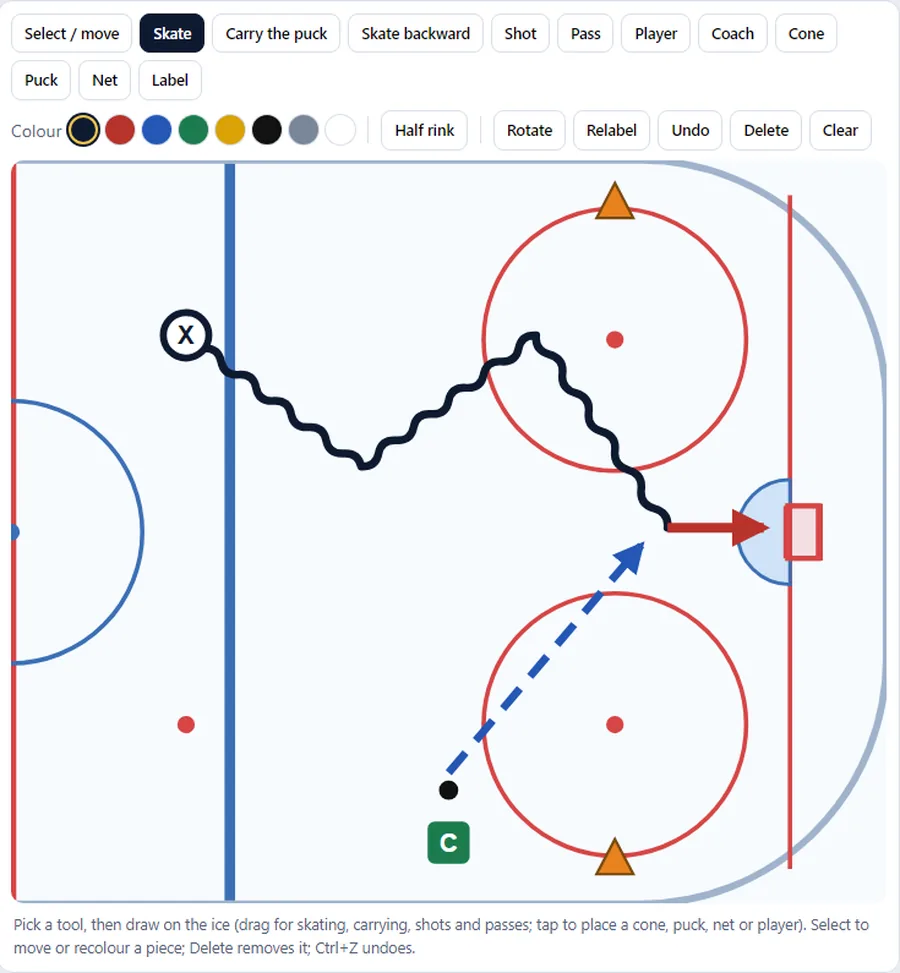
Draw drills on the ice, keep a drill bank you can share across the club, build practice plans from it and print them. Animated drills and a starter library next.
A player's own view, by link or on a phone: their stats and report cards, the drills to work on, their clips, the calendar, and a way to answer the coach's notes. What parents ask for first.
For teams that record games (a rink camera, Hudl, a phone on a tripod), the film becomes a second set of eyes: shots, possession, who was on the ice for each goal, checked against the bench's taps and flagged where they disagree.
Save maps, where the goals went, saves by period and by situation, and a goalie's own report card with the things goalie coaches actually talk about: rebounds, tracking, the first shot after a change.
Rate skaters on the ice from a phone during tryouts and evaluation skates, with the same roster and the same little-things vocabulary, then build the roster from the ratings instead of a clipboard.
The team's calendar and chat in one place instead of a second app, and the apps in Google Play and the App Store.
Usually the same day; faster on game days.
Made-up players, a full season, every page on. Sign in with Google or an emailed link.
Try it with your own playground